In 2025, we released a series of improvements that make it easier to organise equipment, manage bookings, and keep labs running smoothly. These updates strengthen core workflows around visibility, scheduling, maintenance, and team collaboration.
This post walks through all of the new features we’ve shipped. The only thing you won't find on here is our parent-child equipment announcement, which we posted about separately last month.
In this article:
Equipment labeling
Booking reminders
Asset ID field
Equipment favouriting
AI-powered booking workflows
Maintenance bookings for researchers
Customisable equipment overview
Adding multiple users to bookings
Two-factor authentication (2FA)
Equipment labeling
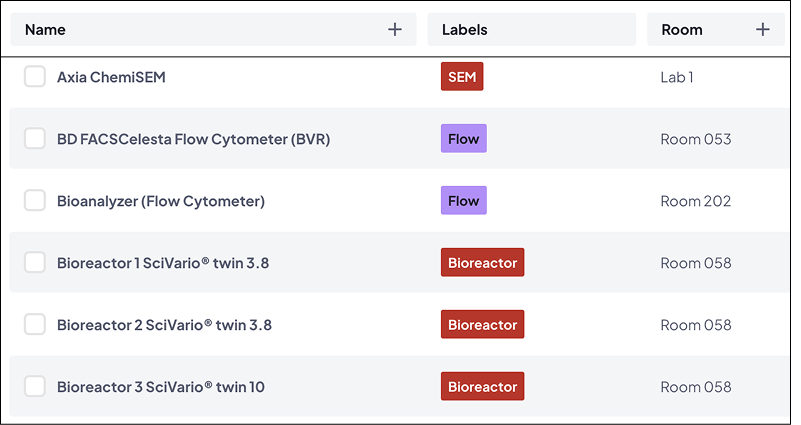
Calira now supports custom labels, colour-coding, and unique visual tags that help labs organise equipment in a consistent, structured way.
What you can do:
Apply custom labels to any piece of equipment
Use colours to visually group similar tools
Create clearer categories for large or complex equipment inventories
Why it matters:
Helps labs maintain an organised, searchable equipment list
Speeds up identification in busy or distributed environments
Reduces administrative friction for lab admins managing large portfolios
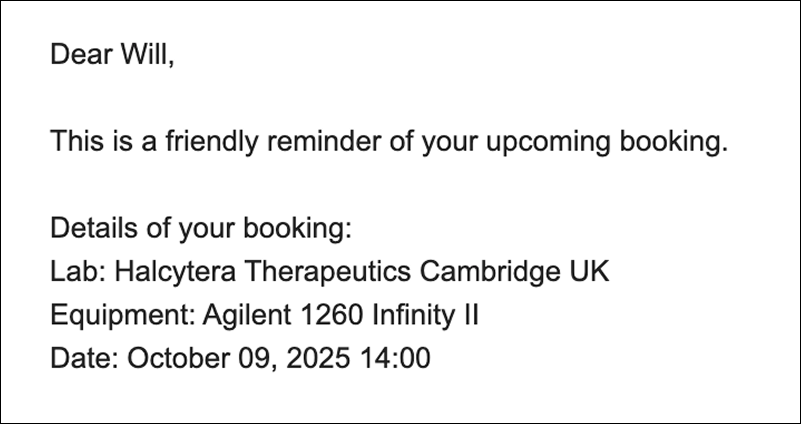
What a booking reminder email looks like when it lands in your inbox.
Want to see Calira in action?
We'll send you a 5-minute video walkthrough of the platform.
Check your inbox. The demo video is on its way.
Asset ID field
We’ve added a standardised Asset ID field to every equipment profile, making it easier to align Calira with your inventory or asset management systems.
What you can do:
Add or import internal asset codes
Maintain consistent identifiers across platforms
Support audits and compliance processes with clearer records
Why it matters:
Better cross-system consistency
Easier reporting and reconciliation
Fewer mismatches between software tools, spreadsheets, and physical labels
Enter your own custom asset ID when adding individual instruments, or in bulk.
Equipment favouriting
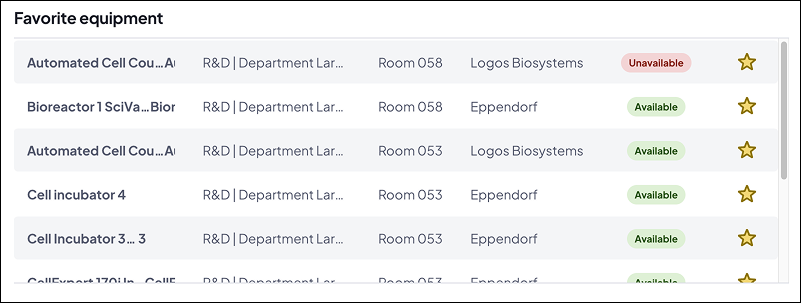
Users can now mark equipment as favourites and access them directly from the new favourites list on the user’s Home page.
What you can do:
Pin frequently used equipment
Jump straight to preferred instruments without searching
Start bookings with fewer clicks
Why it matters:
Faster navigation for regular users
Reduces repetitive search behaviour
Helps labs support diverse workflows without UI customization
See a list of your favorite equipment right at the top of the home page.
Booking workflows
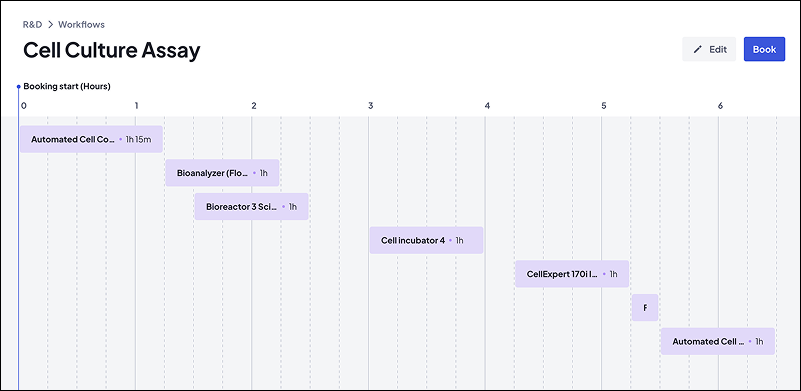
Workflows allow admins to create predefined booking blueprints that include specific equipment and duration requirements. Users can book a full sequence with one action, and Calira uses machine learning to find the best available schedule.
What you can do:
Build multi-step workflows involving several pieces of equipment
Book entire sequences in the most efficient order
Invite researchers or colleagues into those bookings
Why it matters:
Reduces time spent coordinating complex multi-equipment sessions
Helps teams run structured training sessions or protocols
Ensures workflows follow the correct order and timing
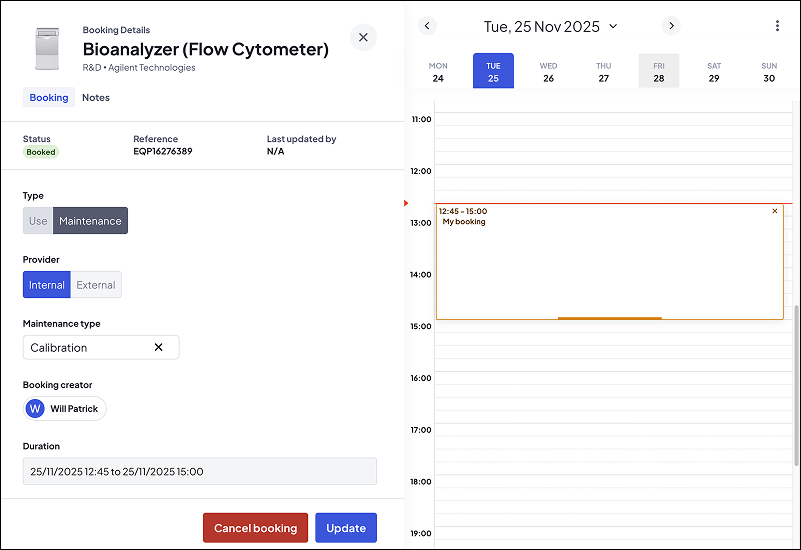
What a maintenance booking looks like. This one is for calibration.
Customise equipment overview
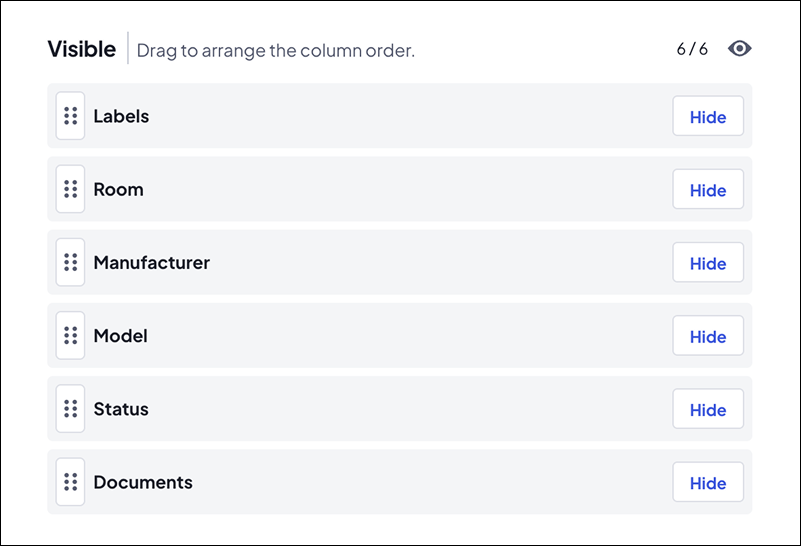
Users can now tailor the equipment overview table to display the information they care about most.
What you can do:
Choose which columns to show or hide
Set default layouts for the department or lab
Let users customize the layout for themselves
Make it easier to compare and review equipment
Why it matters:
More flexibility for both everyday users and administrators
A clearer overview of equipment status, attributes, or usage
Faster to find required information at a glance
A straightforward way to change and rearrange the equipment overview.
Adding multiple users to bookings
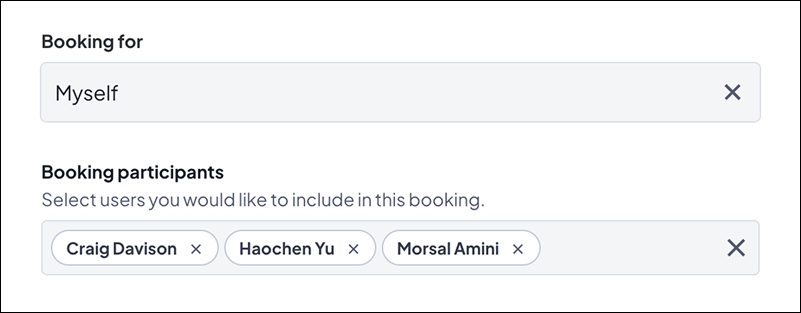
Booking owners can now invite others to join their bookings, and invitees can accept or decline.
What you can do:
Add colleagues directly to any booking
Manage shared sessions, training, or group usage
Keep a clear record of who attended
Why it matters:
Supports group work and collaborative experiments
Gives admins and instructors better visibility of participation
Reduces informal back-and-forth around shared bookings
Does someone need to join you on a booking? Simply add them.
Two-factor authentication (2FA)
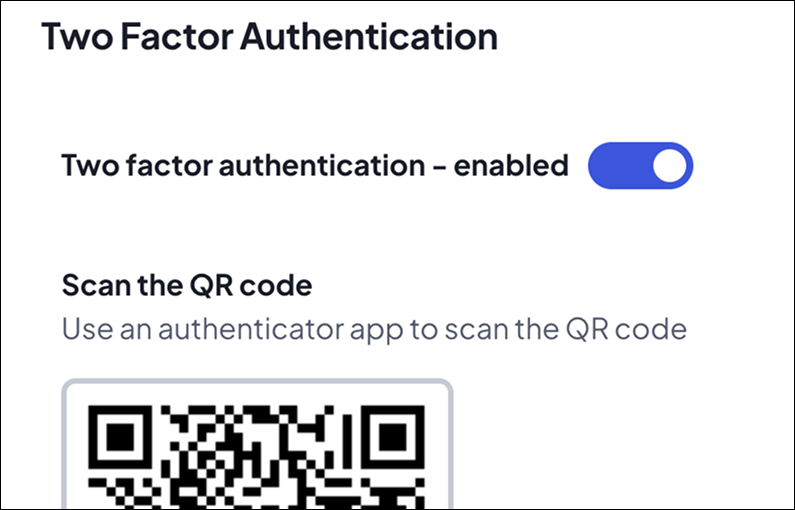
Finally, we’ve introduced two-factor authentication (2FA) to help labs strengthen account security without adding unnecessary friction to everyday workflows.
What you can do:
Let individuals enable 2FA for added account protection
Use one-time verification codes to secure logins
Improve compliance with institutional or IT security policies
Why it matters:
Protects sensitive data
Reduces the risk of account misuse or unauthorised access
Supports organisations with stricter regulatory or accreditation requirements
What's next in 2026?
We built these features because of real feedback from our existing customers. They’re now using them in labs just like yours, and we’re busy building what's next, and there's plenty ahead for 2026.
If you think you or your team might find any of these features useful in your lab, site, or across your wider organisation, we’d be happy to give you a live demo and show you how the wider Calira platform works. You can click here to book a half hour call with a member of our team.