
LabTrack™ installs onto equipment-connected PCs to track real-time use and, where needed, can limit access entirely unless users have bookings and the correct access rights.
.png)
With LabTrack installed on a PC-connected instrument, any usage is automatically logged while the instrument is in use.
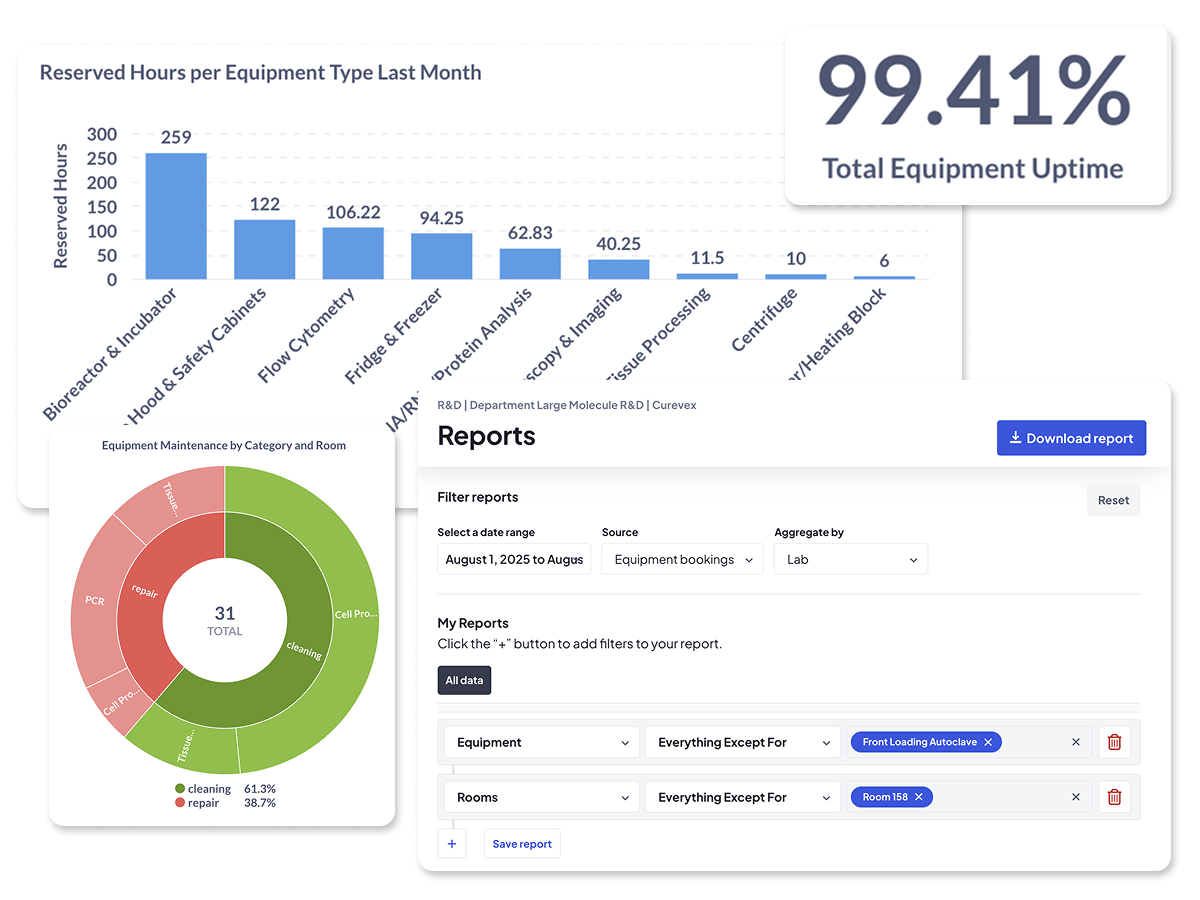
With LabTrack installed onto equipment-connected PCs, it can be used to inhibit access unless the user already has a booking.
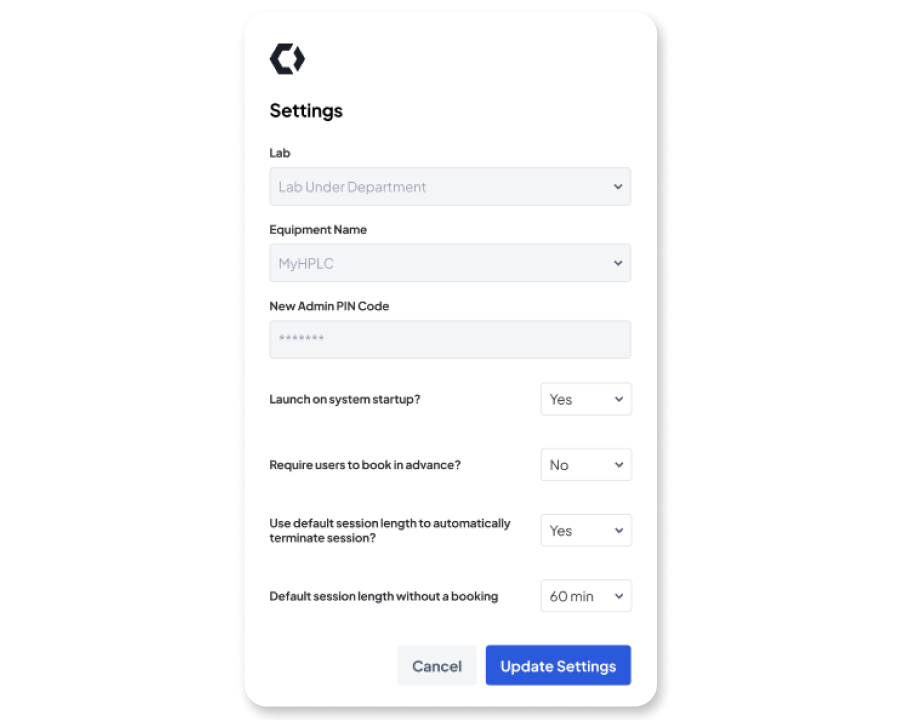
Automatically restricts access based on permissions, preventing unsafe or unauthorized use.
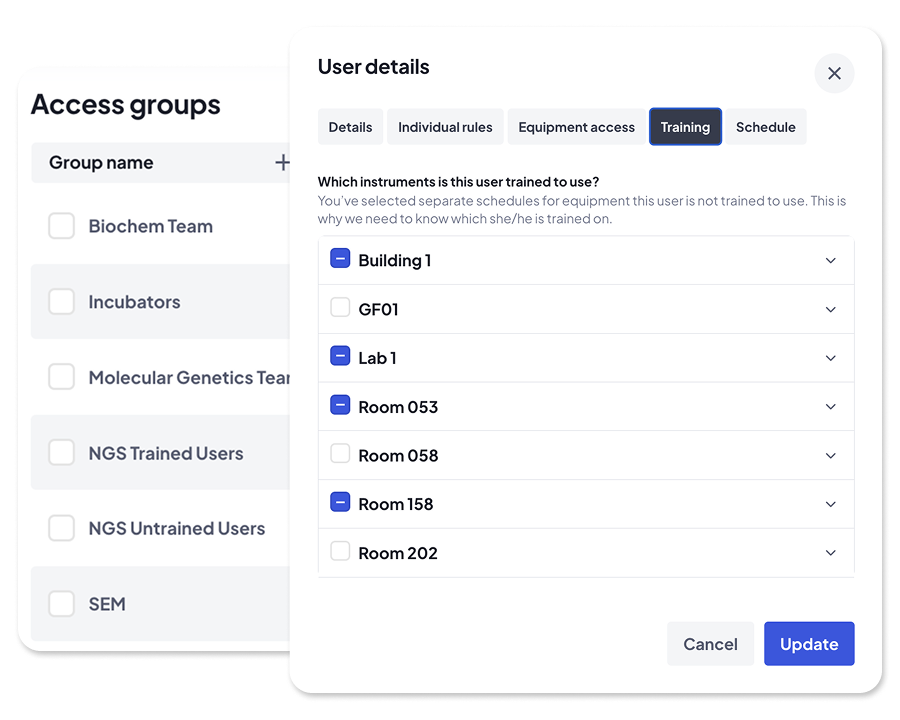

Build a structured, searchable directory of your lab equipment and enrich it with metadata, location information, and purchase price.

Make availability clear to lab users, let teams book shared instruments with confidence, and avoid double bookings.

Give your team the visibility and control to reduce idle time and maximise usage across shared equipment.

Prevent downtime through visible maintenance tracking, safer access, and smarter user controls.

Make confident decisions with clean usage data so you can see what's being used, what isn't, where, and why.

Turn lab usage data into a structured foundation: exportable, filterable, and ready for integration with your ELN, AI, or BI platforms.


“We get an extremely granular view of how every piece of equipment is being used down to the exact minute.”


“Without it, we probably would have bought more kit than we really needed. Calira gave us the visibility to see where we could share or reallocate instead.”


“The most valuable aspect is the visibility among the users—knowing what’s available to book. From a LabOps perspective, it’s become our record management system for servicing, embedded into our SOPs.”


“Calira helped us improve our equipment usage and planning processes within our teams. It's also handy for me to have oversight of the utilization of our instruments.”


"Calira has improved the process of booking laboratory equipment in our R&D teams, created visibility across teams, improved insight into real time equipment status and allowed us to gather data for equipment usage with ease.”


"I haven't needed to log in in the last two weeks to sort anything out. Scheduling runs quite a lot smoother now."


Yes. Calira's lab asset management software gives you a searchable directory of every instrument, access rules, and booking data. LabTrack is the PC-based add-on that captures real-time usage at the instrument and, where needed, blocks machine access unless the user has a valid booking.
Once installed on an equipment-connected PC, LabTrack automatically logs every user session (login time, logout time, and exact duration) against the instrument in Calira. No manual entry, and no relying on booking windows to estimate usage.
Yes. LabTrack runs in two modes. One logs usage without requiring a booking, which suits walk-up instruments. The other requires users to have a valid booking and the right access permissions before they can log in to the PC and use the equipment.
In the Reports section of Calira, select 'Equipment bookings' as the source for and you'll get 'Actual Start Time', 'Actual End Time' and 'Actual Duration' columns to compare booked vs actual usage. For walk-up instruments, select 'LabTrack (no booking required)' to see all logged sessions.

We know that every lab is different. Our team has years of experience in the lab and can answer any question you have and demo the whole platform in less than thirty minutes.